How to Change User POS PIN in Lightspeed
To change a user PIN in Lightspeed POS, this must be done from the Back Office. Once the PIN is updated, the POS devices need to be synced so the changes can take effect.
Steps:
1. Login to the back office
2. Go to People section
2. Go to People section
3. Tap on settings for the users we want to update
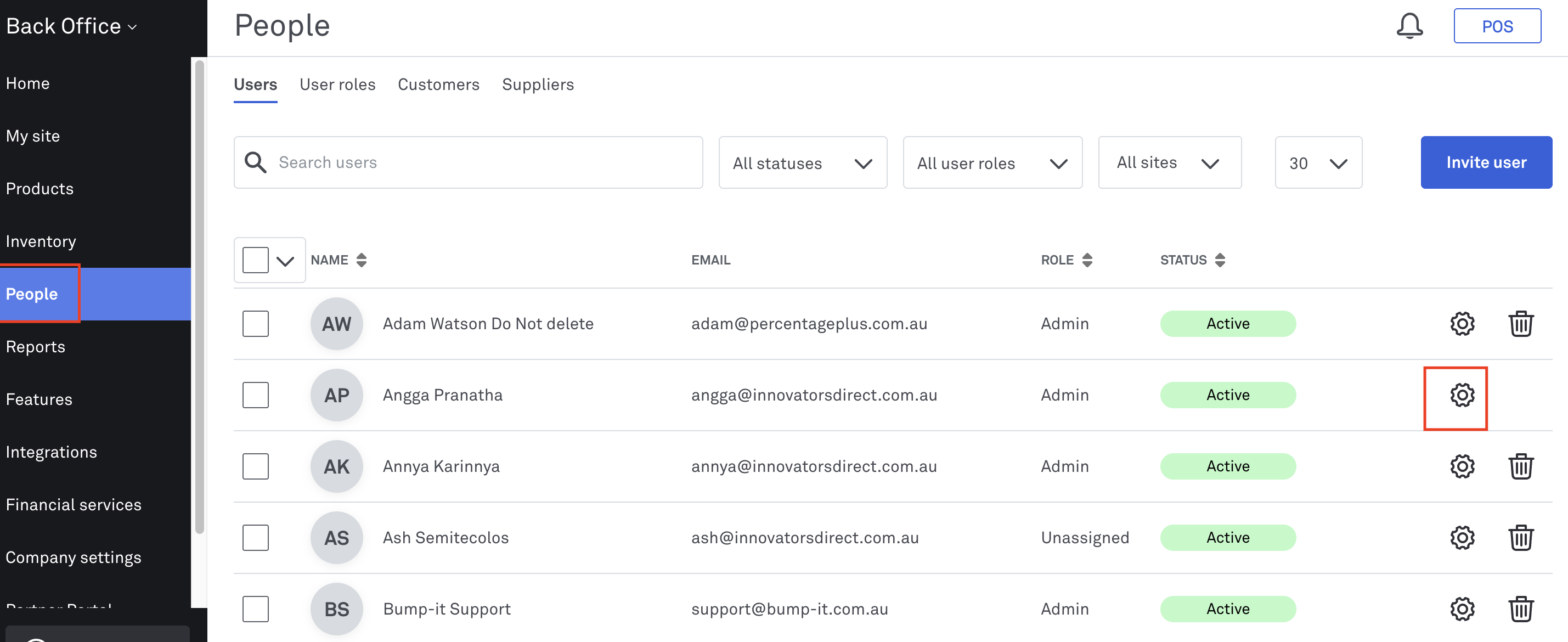
4. Enter the new 4-digit PIN and press save
Sync the POS Devices
After updating the PIN, make sure to sync the POS devices:
1. Perform a sync on each POS device to apply the changes
2. Or initiate a sync from the Back Office for online POS devices. The POS device will need to accept the sync request for the update to take effect
Related Articles
Disabling Online Ordering (Closing Your Online Storefront)
Disabling Online Ordering (Closing Your Online Storefront) This guide will demonstrate how to close your online storefront in Lightspeed Kounta POS. Disabling ordering on POS will apply to Uber Eats, Deliveroo, Door Dash and Boppl. This feature needs ...How to Change Slave POS to a Master POS
Please follow the steps below to change the POS mode from Slave to Master: Open the dropdown menu on the POS. Tap Settings. Select Connection. Change the Mode to Master. Enter the validation PIN when prompted. Validation PIN Information The ...How to Archive a User in Abacus POS
In Abacus POS, users cannot be permanently deleted from the system. The only supported action is to archive the user from the Abacus backend. Archiving a user will: • Disable their access to Abacus POS • Prevent them from logging in • Keep historical ...Lightspeed App Printing
Choosing a printer The Lightspeed App printing method allows your iPad or Android Tablet/ Mobile to communicate directly with compatible Epson or Star (iPad App only) ethernet printers. Epson TM-M30 Ethernet TM-T82II Ethernet TM-T82III Ethernet ...How to Split an Order in Lightspeed
How to Split An Order in Lightspeed Date: November 4, 2022 1. Go to Lightspeed POS 2. Click on Check Out 3. Click on Split Payment 4. Here you can split by price (i.e if the table wants to split evenly) 5. Enter Price 6. Alternatively you can split ...