How to Disable Modifiers in Bite Online Ordering
When Bite is integrated with Lightspeed POS, any products marked as sold out in Lightspeed will automatically update in Bite. However, modifiers do not always sync in the same way, so you may need to manually disable a modifier directly from the Bite Back Office. This method also applies if you are using Bite in standalone mode (not connected to Lightspeed POS).
How to Disable a Modifier from Bite Back Office
Step 1: Log in to Bite Back Office
Log in to your Bite Back Office account.
Step 2: Open Modifier Settings
-
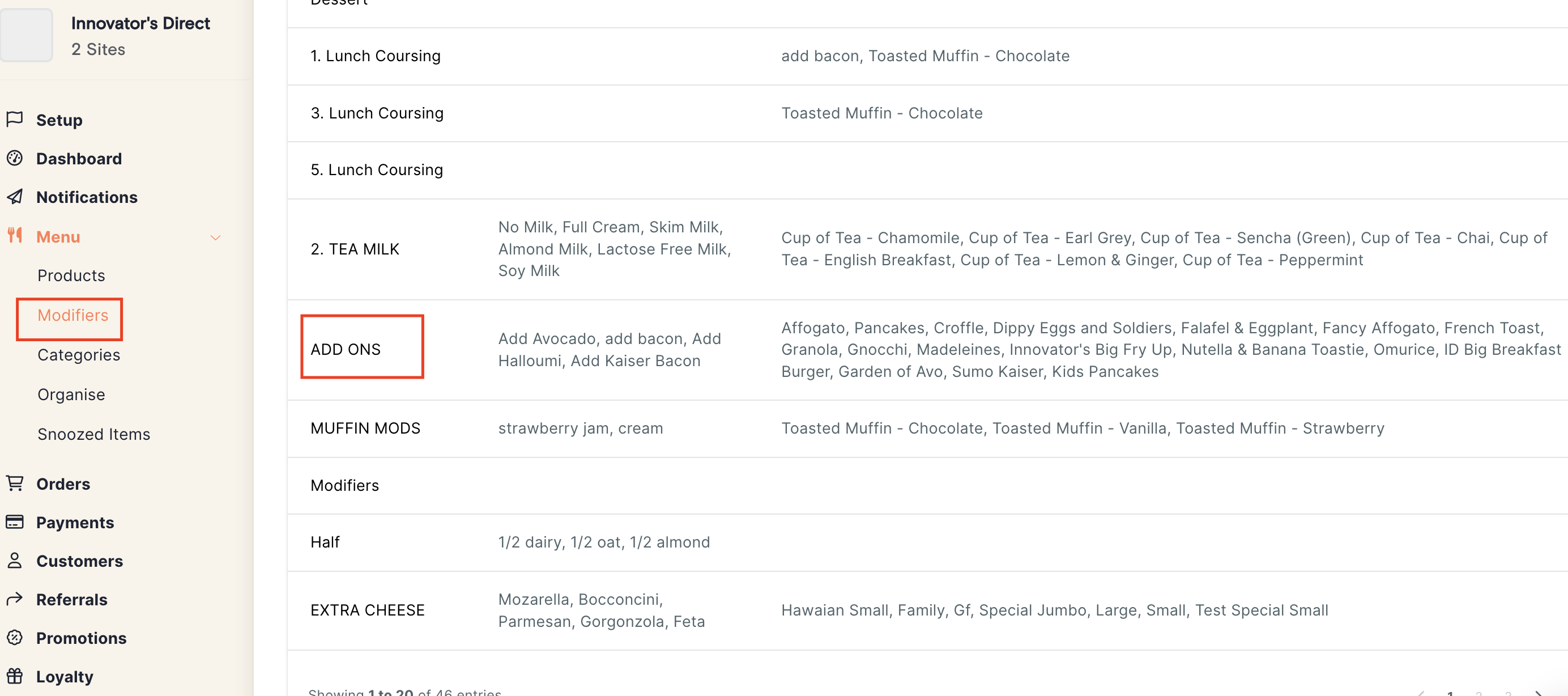
Go to Menu
-
Click Modifier
Find and open the modifier group you want to update
-
For example: ADD ONS
-
Step 3: Disable the Modifier
-
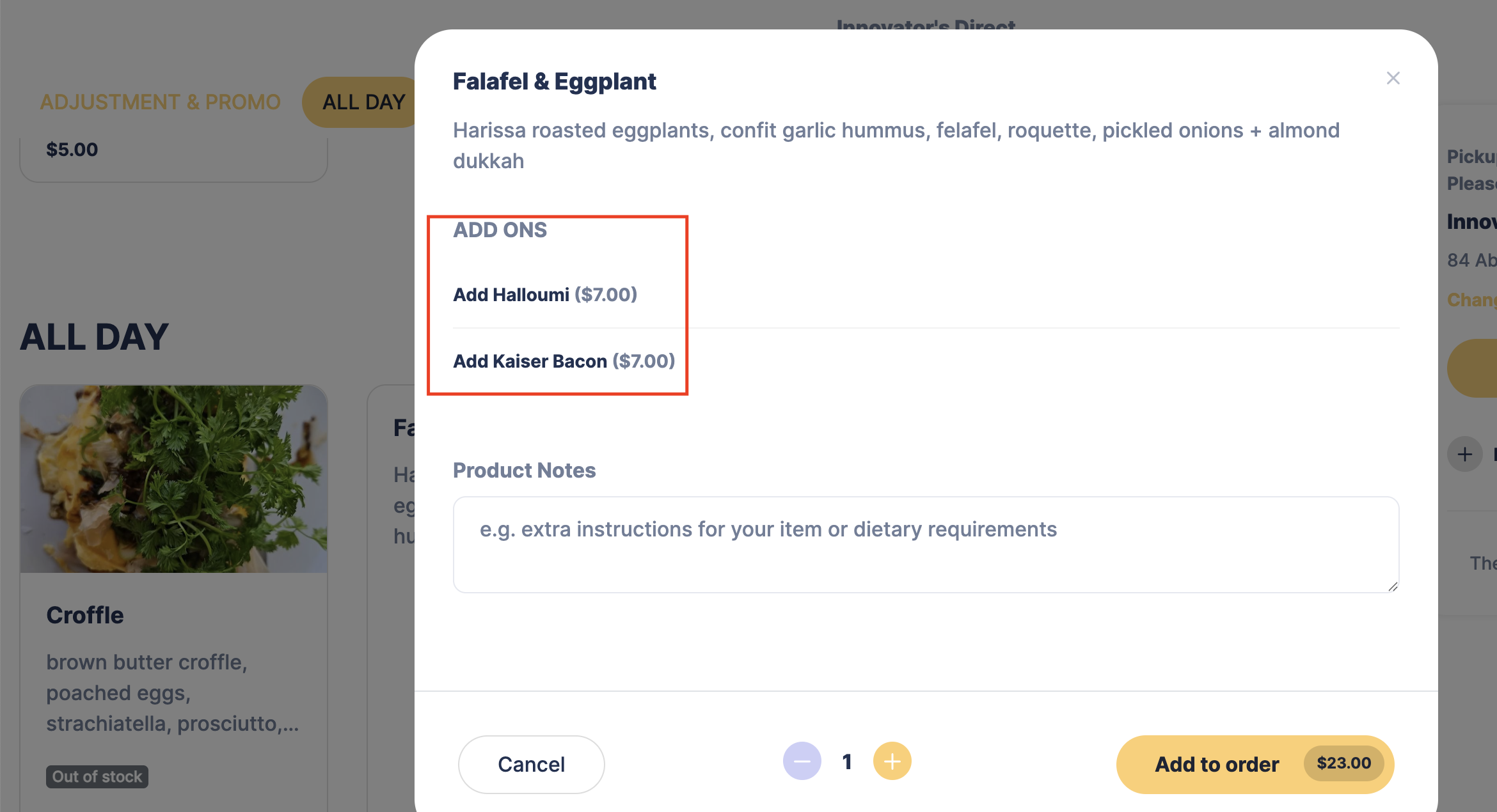
Locate the modifier you want to disable (for example, Avocado)
-
Use the toggle or checkbox on the right-hand side to untick it for the selected site
-
Click Save List to apply the changes
The modifier will now be removed from your online ordering site.
How to Re-Enable a Modifier
To make the modifier available again:
-
Follow the same steps above
-
Tick the site again for the modifier
-
Click Save List
The modifier will be available for online ordering again.
Related Articles
Managing Preparation Time in Bite Online Ordering
This guide explains how to adjust preparation time in Bite Online Ordering to help manage kitchen workload and ensure accurate pickup times for customers. Adjusting this setting helps to: Avoid order congestion during busy hours Set realistic pickup ...Setting Up Holiday Closures in Bite Online Ordering
If you would like to set up holiday closures in Bite Online Ordering (for example, during the Christmas period), you can do this directly from the Bite Back Office by following the steps below. Add a Holiday Closure Log in to your Bite Back Office ...How to Snooze Products in Bite Online Ordering
We recommend managing product availability directly from your Lightspeed POS by marking items as Sold Out. When the product is available again, you can simply enable it back in Lightspeed, and the change will be reflected in the Bite portal ...Disabling Online Ordering (Closing Your Online Storefront)
Disabling Online Ordering (Closing Your Online Storefront) This guide will demonstrate how to close your online storefront in Lightspeed Kounta POS. Disabling ordering on POS will apply to Uber Eats, Deliveroo, Door Dash and Boppl. This feature needs ...How to Set Up Pop-Up Alerts in Bite Online Ordering
If you are using Bite Online Ordering and would like to display a pop-up alert or notice before customers place an order (for example, to announce holiday closures or important updates), you can set this up directly from the Bite Back Office by ...