How to Set Up Pop-Up Alerts in Bite Online Ordering
If you are using Bite Online Ordering and would like to display a pop-up alert or notice before customers place an order (for example, to announce holiday closures or important updates), you can set this up directly from the Bite Back Office by following the steps below.
How to Create a Pop-Up Alert
Step 1: Log in to Bite Back Office
Log in to your Bite Back Office account.
Step 2: Open Alerts Settings
-
Go to Settings
-
Click on Alerts
Step 3: Add a New Alert
-
Click Add Alert
Enter the relevant details, including:
-
Alert title
-
Message content
-
Applicable site(s)
-
Display schedule (daily or specific dates only)
-
Where to show the alert (website and/or app)
-
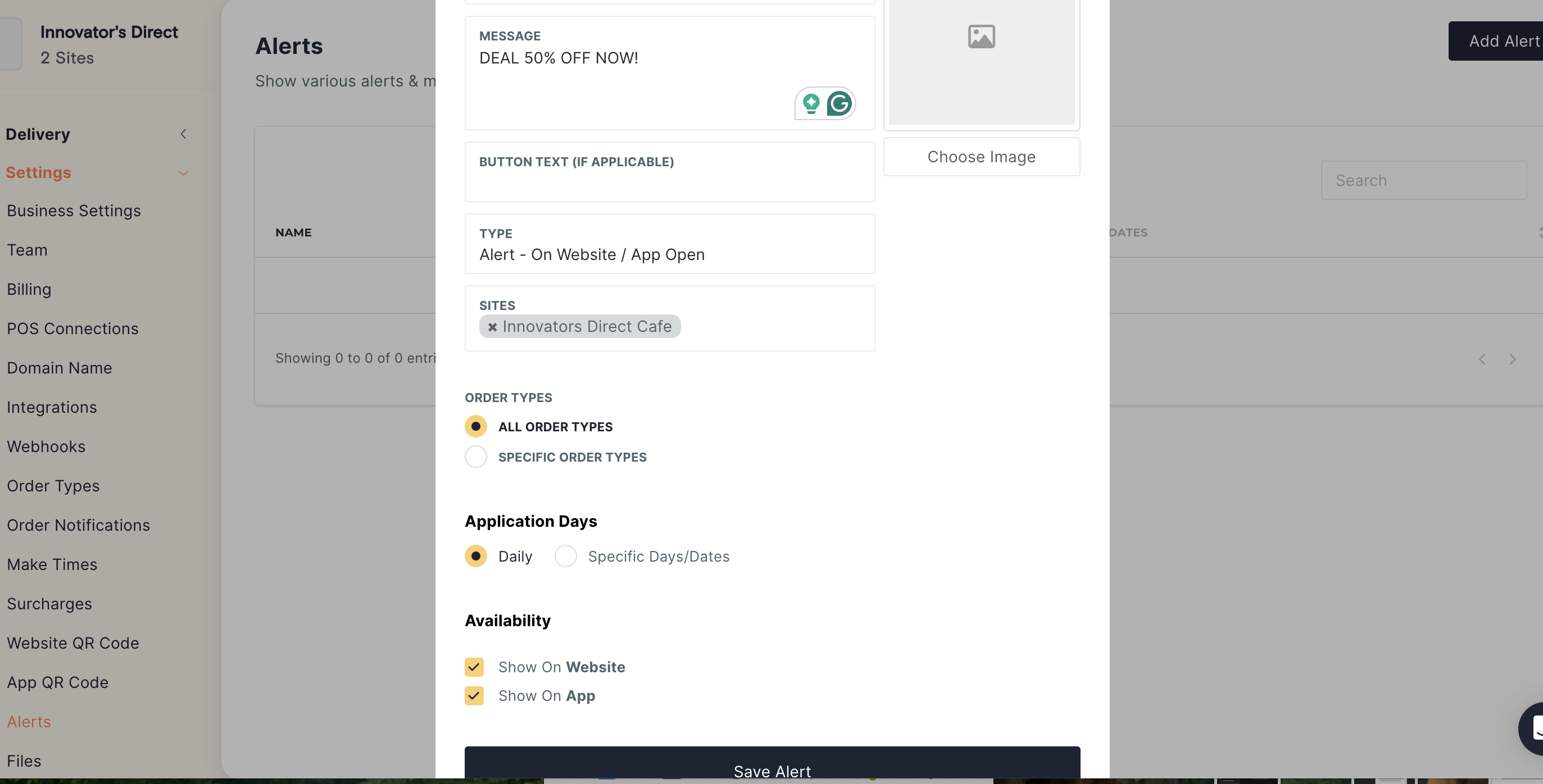
Step 4: Save the Alert
Click Save Alert. The alert will be displayed to customers when they visit your online ordering website or app.
Helpful Tips
-
Keep alert messages short and clear for the best customer experience.
-
Use specific dates for temporary notices such as Public Holidays or special events.
-
Double-check the selected site(s) to ensure the alert appears in the correct locations
Related Articles
Managing Preparation Time in Bite Online Ordering
This guide explains how to adjust preparation time in Bite Online Ordering to help manage kitchen workload and ensure accurate pickup times for customers. Adjusting this setting helps to: Avoid order congestion during busy hours Set realistic pickup ...Create Pop-up Notification in Abacus Online Ordering
In Abacus Online Ordering (OUB), you can display a pop-up notification when customers open your online ordering page for the first time. This feature is useful for sharing important announcements before customers start browsing the menu. Many ...Setting Up Holiday Closures in Bite Online Ordering
If you would like to set up holiday closures in Bite Online Ordering (for example, during the Christmas period), you can do this directly from the Bite Back Office by following the steps below. Add a Holiday Closure Log in to your Bite Back Office ...How to Disable Modifiers in Bite Online Ordering
When Bite is integrated with Lightspeed POS, any products marked as sold out in Lightspeed will automatically update in Bite. However, modifiers do not always sync in the same way, so you may need to manually disable a modifier directly from the Bite ...How to Snooze Products in Bite Online Ordering
We recommend managing product availability directly from your Lightspeed POS by marking items as Sold Out. When the product is available again, you can simply enable it back in Lightspeed, and the change will be reflected in the Bite portal ...