Managing Preparation Time in Bite Online Ordering
This guide explains how to adjust preparation time in Bite Online Ordering to help manage kitchen workload and ensure accurate pickup times for customers.
Adjusting this setting helps to:
-
Avoid order congestion during busy hours
-
Set realistic pickup times for customers
-
Improve overall operational efficiency
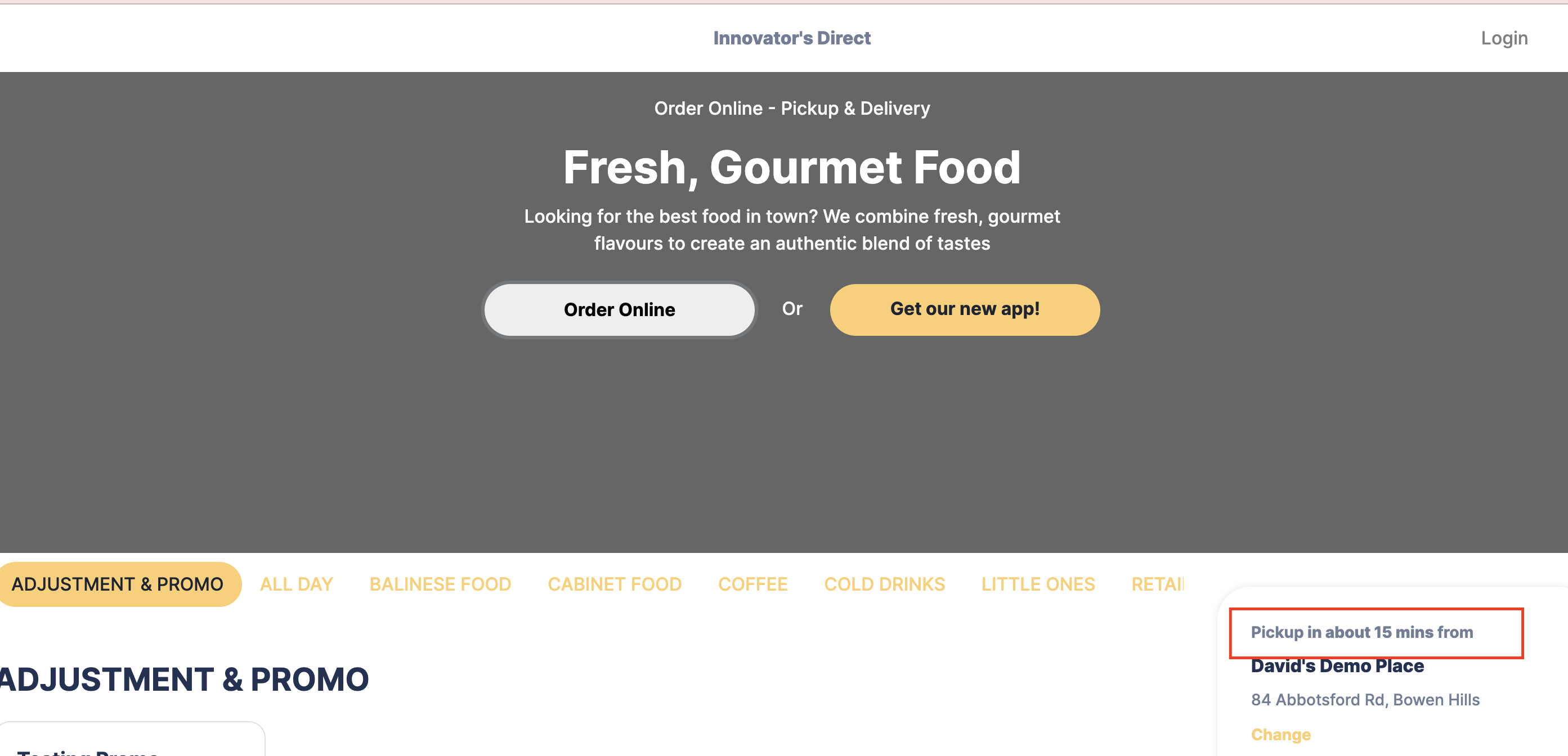
Update Preparation Time
-
Log in to your Bite Back Office account.
-
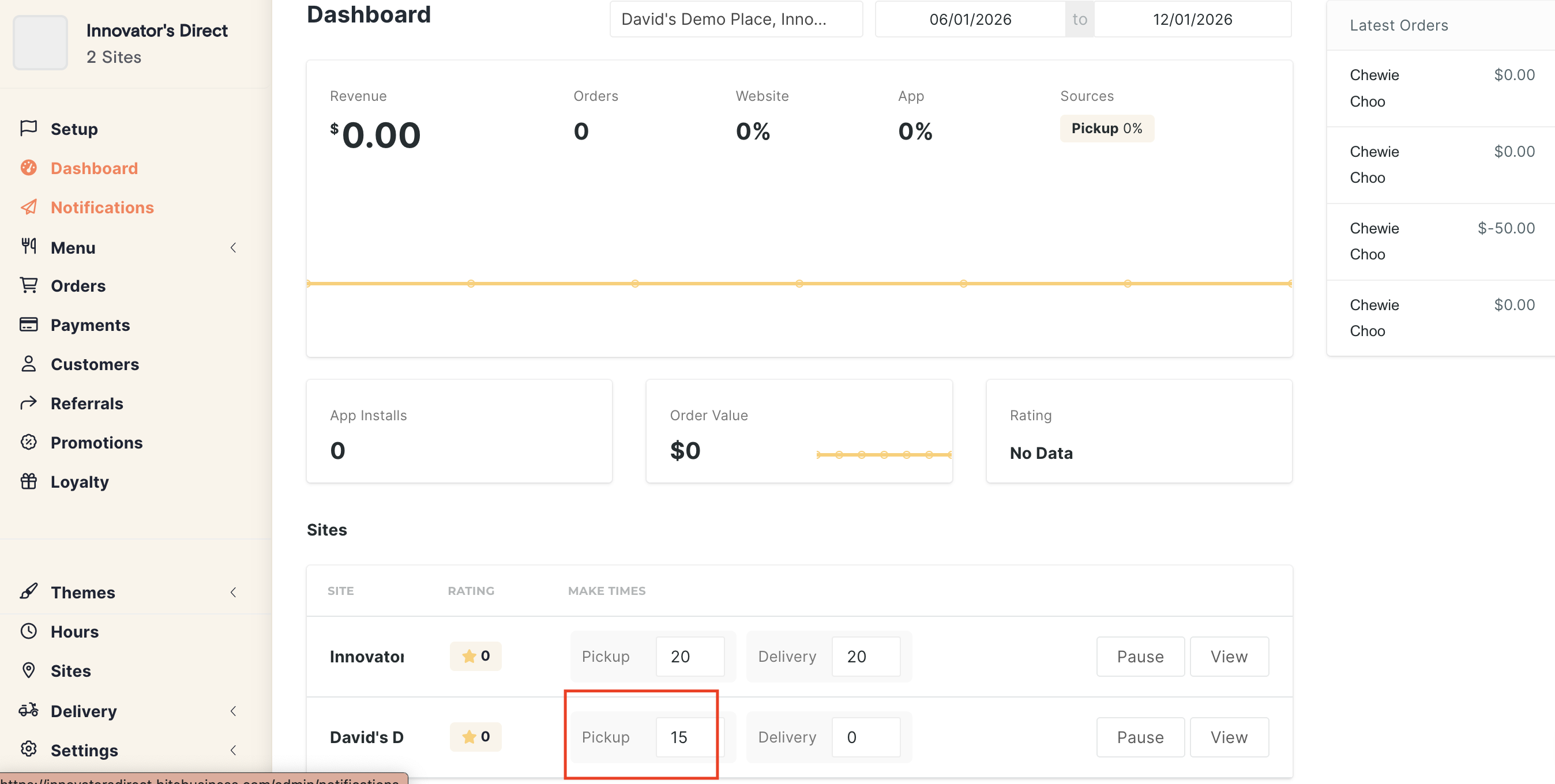
From the homepage, locate the Preparation Time setting and update it to your desired time (for example, 20 minutes).
-
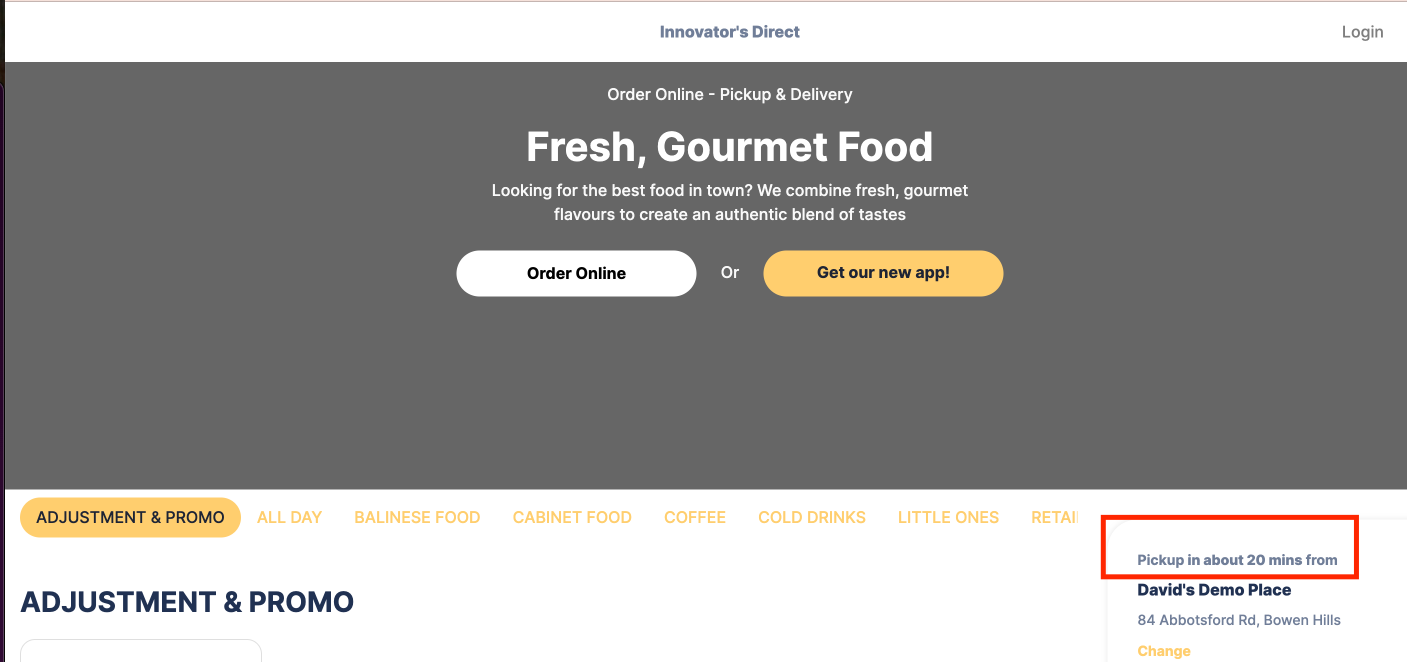
Refresh your online ordering page to confirm the updated preparation time is showing correctly.
Helpful Notes
-
Changes usually take effect immediately but may require a page refresh.
-
During peak periods, increasing preparation time can help manage high order volumes.
Related Articles
How to Snooze Products in Bite Online Ordering
We recommend managing product availability directly from your Lightspeed POS by marking items as Sold Out. When the product is available again, you can simply enable it back in Lightspeed, and the change will be reflected in the Bite portal ...Adjusting Preparation Time from POS
If you still want to accept orders but need more time to prepare them, you can increase the prep time. This gives your kitchen extra buffer while keeping orders flowing. How to adjust prep time: On the POS, go to Online Locate the Prep Time setting ...Setting Up Holiday Closures in Bite Online Ordering
If you would like to set up holiday closures in Bite Online Ordering (for example, during the Christmas period), you can do this directly from the Bite Back Office by following the steps below. Add a Holiday Closure Log in to your Bite Back Office ...How to Disable Modifiers in Bite Online Ordering
When Bite is integrated with Lightspeed POS, any products marked as sold out in Lightspeed will automatically update in Bite. However, modifiers do not always sync in the same way, so you may need to manually disable a modifier directly from the Bite ...How to Set Up Pop-Up Alerts in Bite Online Ordering
If you are using Bite Online Ordering and would like to display a pop-up alert or notice before customers place an order (for example, to announce holiday closures or important updates), you can set this up directly from the Bite Back Office by ...